
What to Know Before You Book a Conference Room
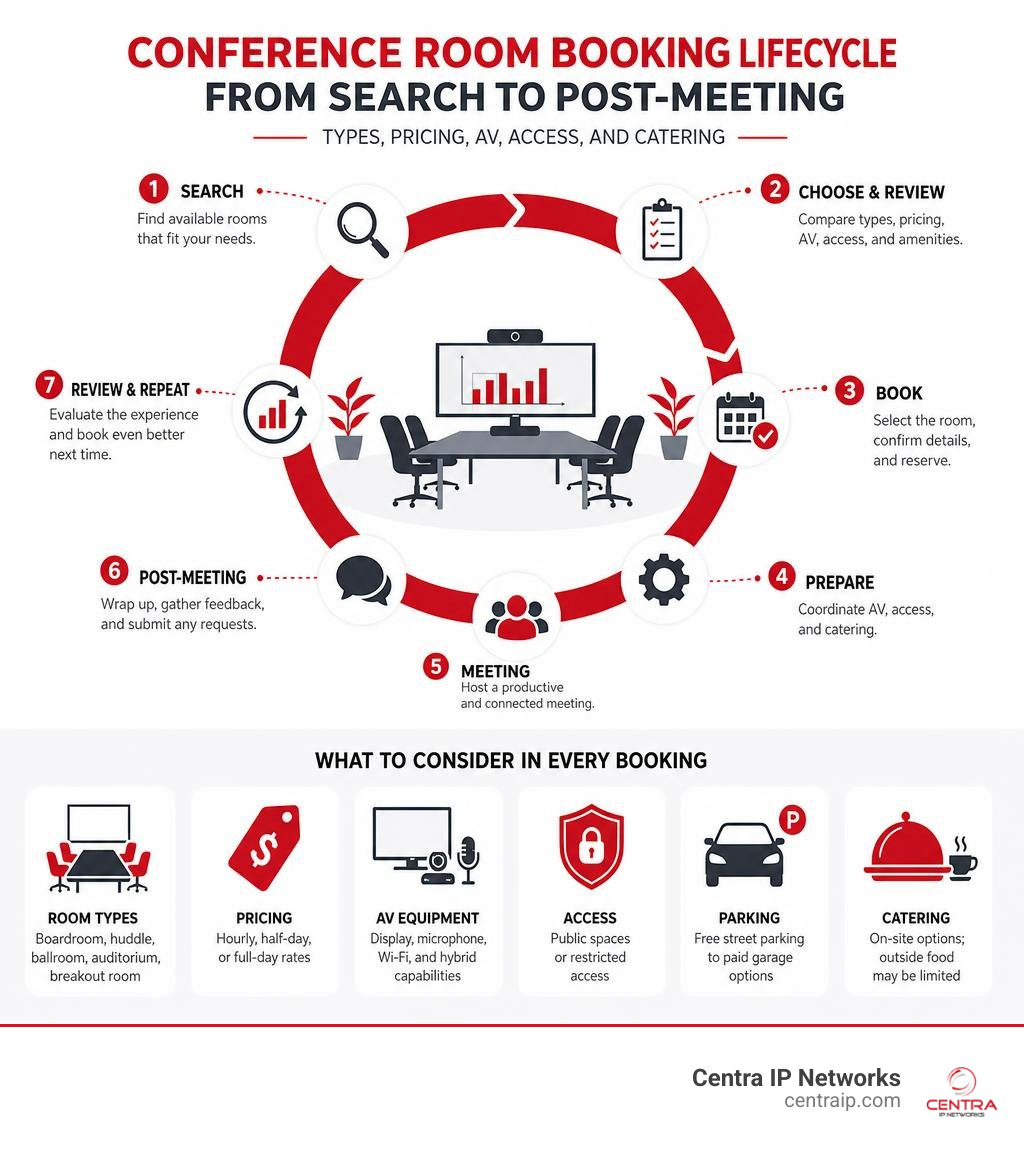
Conference rooms come in many shapes, sizes, and price points — and picking the wrong one can derail your entire event before it starts.
Here is a quick overview of what most event planners need to know:
| Factor | What to Expect |
|---|---|
| Room types | Boardrooms, huddle spaces, ballrooms, auditoriums, breakout rooms |
| Capacity range | 4 people (huddle) up to 2,000+ (grand ballroom or auditorium) |
| Typical pricing | Hourly, half-day, or full-day rates; often with mandatory per-person fees |
| AV equipment | Usually includes display, microphone, and Wi-Fi; advanced hybrid tech varies |
| Access | Some spaces are public; others are restricted to employees or hotel guests |
| Parking | Ranges from free street parking to paid garage; varies by location |
| Catering | Many venues prohibit outside food and charge mandatory beverage break fees |
Whether you are planning a small team sync or a large corporate conference, the right space makes a real difference in how productive — and how smooth — your meeting turns out to be.
In July 2026, hybrid work is no longer a trend. It is simply how most businesses operate. That means the bar for a “good” conference room has risen. A room that looked fine in 2020 may now fall short for teams that need to connect remote and in-person participants seamlessly.
This guide walks you through everything: room types, AV technology, pricing structures, accessibility, and how to book the right space with confidence.
I’m Patrick Brangan, a business technology specialist with over 20 years of experience helping SMBs find the right communication and conference room solutions — from unified communications to full AV setups across Dallas, Tampa, and Orlando. I’ll break this down in plain language so you can make a smart booking decision without the guesswork.
Types of Venues and Conference Rooms for Every Event
When you start searching for available spaces, you will quickly realize that “one size does not fit all.” A space designed for a collaborative brainstorming session will feel cold and cavernous if you try to host a three-person team sync there. Conversely, trying to squeeze a strategic planning session into a tiny room is a recipe for headaches.
Across our major service hubs — including Dallas, Fort Worth, Orlando, Tampa, St. Petersburg, Clearwater, and Sarasota — you will find a wide spectrum of venues. These range from modern coworking spaces and boutique hotels to massive convention centers. Matching your agenda to the layout of the room is the first step toward a successful meeting.

Executive Boardrooms and Huddle Spaces
For small, focused sessions, you generally have two choices: huddle spaces and executive boardrooms.
Huddle rooms are designed for quick, informal collaborations among two to four people. They are highly functional, often equipped with a single display and a basic camera setup. These spaces are perfect for quick stand-ups or when a couple of local employees need to jump on a call with a remote partner.
When the stakes are higher, you need an executive boardroom. These rooms typically accommodate 10 to 20 people around a single, central table. A great boardroom layout ensures direct line-of-sight for all participants, which naturally encourages discussion and decision-making.
In modern setups, the goal for these spaces is “meeting equality”—the idea that remote participants should have the exact same presence, visibility, and audio clarity as those sitting physically in the room. This requires ergonomic seating, considered acoustic designs to eliminate echo, and high-end AV integration. For instance, spaces like The Bøardroom | Møller Institute showcase how combining natural daylight with premium acoustic treatment can keep senior leadership teams focused during long, confidential strategy sessions.
If you are looking to rent professional, smaller meeting environments in our core regions, you can find excellent options via Meeting Rooms in Dallas, TX | Conference Room Rentals or secure creative, flexible setups through 36 Best Meeting Rooms for Rent in Fort Worth, TX.
Large-Scale Ballrooms, Auditoriums, and Exhibit Halls
For large corporate events, product launches, or industry conventions, you need spaces that scale. This is where ballrooms, auditoriums, and exhibit halls come in.
- Ballrooms: These are highly flexible spaces. A grand ballroom can often be divided into smaller configurations using thick, soundproof divisible walls. For example, a 16,000-square-foot ballroom can easily host up to 3,000 people for a reception, or be split into six separate meeting rooms for concurrent breakout sessions. This adaptability is incredibly useful for multi-day corporate retreats.
- Auditoriums: If your event consists primarily of one-to-many presentations, lectures, or panel discussions, an auditorium is your best bet. Flagship auditoriums can accommodate anywhere from 400 to 1,000 attendees, offering tiered, theater-style seating that ensures everyone has a clear view of the stage.
- Exhibit Halls: When your event includes vendors, sponsors, or heavy equipment demonstrations, look for venues with dedicated exhibit halls. These spaces are built with concrete floors, high ceilings, and street-level loading docks to handle massive trade show booths and heavy foot traffic.
To see how these larger layouts translate to real-world dimensions, consider Franklin Room West | Brooklyn Meeting Space | William Vale. This venue offers nearly 2,000 square feet of adaptable space that can be configured for classrooms, banquets, or theatre arrangements, complete with state-of-the-art audiovisual capabilities.
If you are planning an event in Florida, you can explore premier regional options using Meeting Rooms in Orlando, FL | Conference Room Rentals or browse coastal venues through Meeting Venues | Visit St Petersburg Clearwater Florida.
Essential Technology and AV Equipment for Modern Meetings
The physical room is only half the battle. In July 2026, a conference room’s productivity is directly tied to the technology inside it. We have all experienced the frustration of a meeting delayed by ten minutes because someone couldn’t find the right cable, or because the remote participants couldn’t hear the speaker at the far end of the table.
To prevent these hiccups, modern conference rooms rely on a suite of integrated AV tools. If you are curious about the fundamentals of how these systems connect, check out our guide on What is Video Conferencing and How Does It Work?.
At a minimum, a professional corporate meeting space should feature:
- AI-Tracking Cameras: Standard static webcams are no longer sufficient. They leave remote participants looking at a wide, distant view of a long table where faces are hard to see. AI-tracking cameras automatically zoom in and frame the active speaker, creating a much more natural, face-to-face conversational flow.
- Beamforming Microphone Arrays: These microphones use digital signal processing to focus on the physical location of the person speaking while actively suppressing ambient room noise, such as air conditioning hums or rustling papers. Mounting these on the ceiling keeps conference tables clean and eliminates audio dead zones.
- Commercial Displays: Consumer-grade televisions are not designed for the heavy, dual-role demands of a corporate environment. Commercial displays offer higher brightness, longer lifespans, and the ability to run continuously without screen burn-in. Dual-display setups are ideal—one screen displays the presentation content, while the other shows the video grid of remote colleagues.
- One-Touch Join: Meeting setup friction should be non-existent. A dedicated touchscreen controller on the table allows users to walk in and launch a scheduled meeting with a single tap.
Hybrid Conference Rooms Setup and Software
Designing a hybrid-ready room means creating a seamless bridge between your in-office staff and remote team members. When planning your hybrid infrastructure, consistency is key. Your physical rooms should run the exact same software platform that your employees use daily on their laptops.
For many organizations, this means deploying dedicated Zoom Rooms or Microsoft Teams Rooms. These software-based room systems run on dedicated hardware, transforming the space into an “always-on” communications hub. In 2026, features like Zoom’s AI Companion and Intelligent Director have become standard. Intelligent Director uses multiple camera feeds and AI to dynamically select the best camera angle for each person in the room, ensuring that in-person attendees don’t look like passive background characters to remote viewers.
To understand how this shift has reshaped the modern office, you can read about the Benefits of Video Conferencing for Today’s Hybrid Workplaces and explore How COVID19 Has Impacted the Growth of Video Conferencing.

Collaborative Tools in Creative Conference Rooms
For brainstorming sessions, training workshops, and interactive pitches, standard presentation tools aren’t quite enough. You need collaborative hardware that lets teams sketch, build, and iterate in real-time.
- Whiteboard Walls: Traditional small whiteboards can limit big ideas. Many creative spaces now feature floor-to-ceiling whiteboard walls on all sides, allowing teams to map out complex workflows without running out of room.
- Smart Boards and Interactive Displays: A mobile digital smart board (such as a 70-inch touchscreen display) allows you to present slide decks, annotate documents directly on the screen, and instantly share those marked-up files with all participants via email or chat.
- Wireless Sharing Systems (e.g., Clickshare): Passing HDMI cables around a table is a thing of the past. Wireless content-sharing systems allow multiple users to cast their screens to the main display instantly using a simple USB button or a desktop application.
- 360-Degree Smart Cameras (e.g., OWL): For smaller, circular table setups, a center-of-table 360-degree camera and speaker system is highly effective. It automatically shifts the focus to whoever is speaking, making remote participants feel like they are sitting right at the table.
A great example of this creative flexibility is highlighted in OFFSITE – Conference Room – New York, New York, where whiteboard walls surround attendees on all sides to stimulate creative discussion and free-flowing ideas.
Pricing Models, Mandatory Fees, and Reservation Policies
Understanding the financial side of booking conference rooms will help you avoid unexpected charges on your final invoice. Venues generally price their spaces based on duration, but the specific inclusions can vary wildly.
Here is a breakdown of the typical pricing structures you will encounter:
| Rental Model | Typical Duration | Best For | What’s Usually Included |
|---|---|---|---|
| Hourly | 1 to 4 hours | Quick client pitches, team syncs, interviews | Room access, standard Wi-Fi, basic display |
| Half-Day | Strict 4-hour blocks (e.g., 8 AM – 12 PM or 1 PM – 5 PM) | Half-day workshops, board meetings | Standard AV, flipcharts, basic beverage access |
| Full-Day | 8-hour block (typically 8 AM – 5 PM) | Full-day training, strategic planning | Full AV package, technical support, registration desk access |
| Extended Day | 8 to 12 hours | Multi-session conferences, evening networking | Comprehensive venue access, dedicated coordinator |
When booking, always clarify the cancellation policy. Some venues offer free cancellations up to 48 hours in advance, while others require a non-refundable deposit or charge a sliding-scale fee if you cancel within 30 days of the event.
If you are looking for simple, hourly bookings in the Tampa Bay area, check out Meeting Room Rentals in St. Pete-Clearwater, FL | Hourly for budget-friendly, professional options.
Understanding Mandatory Beverage Fees and Catering Policies
One of the most common surprises for first-time event planners is the “mandatory beverage break fee.” Many professional conference centers and hotels charge a flat, per-person fee for beverage service, which scales based on the length of your meeting.
For example, a venue’s beverage fees might look like this:
- 1-Hour Meeting: $3.50 per person (includes coffee, tea, and water)
- Half-Day Meeting: $6.25 per person (adds juices or sodas)
- Full-Day Meeting: $9.25 per person (includes mid-day refreshes)
- Extended Day (8-12 hours): $10.00 per person (includes afternoon snacks)
When it comes to food, keep in mind that most hotels and dedicated conference centers have strict outside food and drink restrictions. They typically require you to use their in-house catering services or select from a list of approved vendors.
While this can limit your flexibility, it also means you can coordinate custom culinary experiences—such as themed morning pastries, healthy lunch buffets, or afternoon energy stations—directly through your venue coordinator to keep your attendees engaged and focused.
Logistics, Accessibility, and Parking Options
A beautiful room with great technology is still a failure if your attendees can’t easily access the building or find a place to park. When evaluating potential spaces in cities like Dallas, Fort Worth, Orlando, or Tampa, logistics should be top of mind.
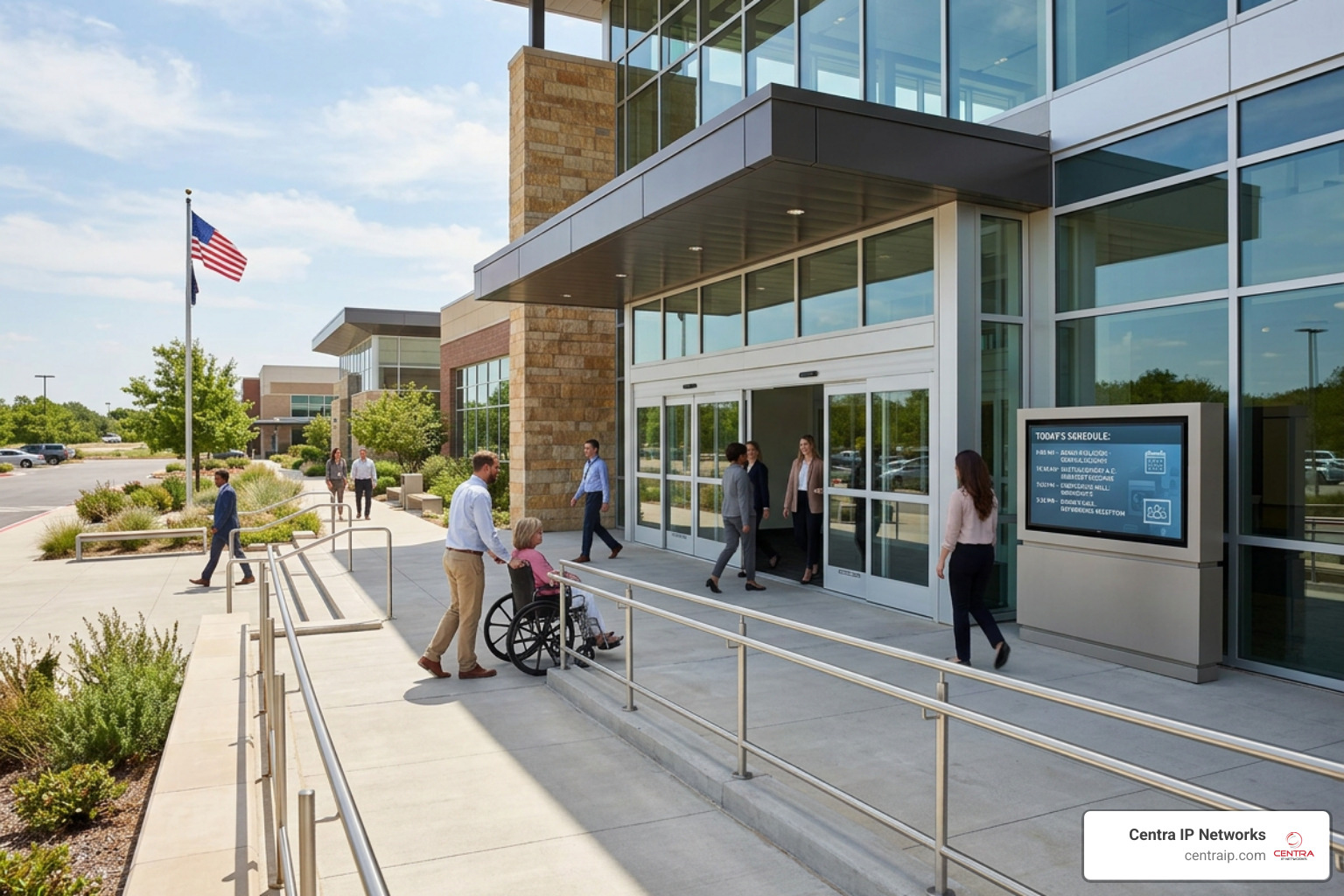
- ADA Compliance and Accessibility: Ensure the venue features ramp or elevator access, wide doorways, accessible restrooms, and designated seating areas for attendees with mobility challenges.
- Public vs. Restricted Access: Some spaces are located within secure corporate offices or restricted hotel floors. Clarify what security protocols your guests will face upon arrival. Will they need to sign in at a front desk? Do they need to show government-issued ID?
- Parking Realities: Parking costs can add a significant hidden expense to your event. Downtown venues in major metro areas often rely on paid garage parking or valet services, which can run anywhere from $15 to $40 per car daily. If your budget is tight, look for suburban venues that offer free surface lot parking, or consider pre-purchasing parking validation stickers for your guests.
For those planning events in Southwest Florida, venues like those featured in Conference Rooms Sarasota Fl – Meeting – Event Space offer a great balance of upscale meeting environments, accessible design, and convenient local parking options.
Frequently Asked Questions about Booking Spaces
What is typically included in a standard meeting room rental?
A standard rental usually includes the physical room, tables and ergonomic chairs set up in your preferred configuration, high-speed Wi-Fi, and a basic presentation package (a display screen, a podium, and a physical connection like an HDMI cable). Advanced AV equipment, dedicated technical support, and premium catering are typically treated as add-ons.
How are beverage fees structured for corporate events?
Beverage fees are typically structured as mandatory, per-person charges that scale according to the duration of your booking. They ensure a steady supply of coffee, tea, water, and soft drinks throughout your event, with fresh carafes and cups replenished during scheduled breaks.
Can outside food and drinks be brought into rented meeting spaces?
It depends on the venue. Most hotels, upscale resorts, and dedicated conference centers prohibit outside food due to liability and exclusive catering contracts. However, many independent coworking spaces and creative off-site venues are much more flexible, allowing you to bring your own snacks or hire external food trucks.
Conclusion
Finding and booking the perfect conference room doesn’t have to be a stressful chore. By matching your meeting’s goals to the right room layout, verifying that the on-site technology supports true hybrid collaboration, and understanding the fine print of pricing and catering policies, you can set your team up for a highly productive session.
At Centra IP Networks, we believe that communication should be effortless. That is why we offer comprehensive Managed IT and Cloud Communications services designed to keep your business connected. We provide all your essential services—including enterprise-grade Video Conferencing setups, Cloud-Based Phone Systems, and reliable Internet connectivity—on a single, unified platform with a single bill.
By leveraging our 35+ industry partnerships, we deliver tailored, cost-effective solutions that fit your exact business needs. Whether you need to optimize your local office infrastructure or streamline your communications across our core service areas, we are here to support you.
- North Texas: Learn how we support local businesses with Business Phone Systems Dallas and Business Phone Systems Plano.
- Central & West Florida: Discover our regional communication solutions, including Business Phone Systems Orlando and Business Phone Systems Tampa.
Ready to eliminate the headaches of disjointed technology and experience the power of Unified Communications Management? Contact our team today, and let us help you build a smarter, more connected hybrid workplace.